Free communication software
BlinkTalk helps people with locked-in syndrome and other motor conditions to communicate. An eye gesture or a helper’s tap becomes letters, words and spoken sentences.
Free forever · Open source · No ads, no trackers, 100% privacy
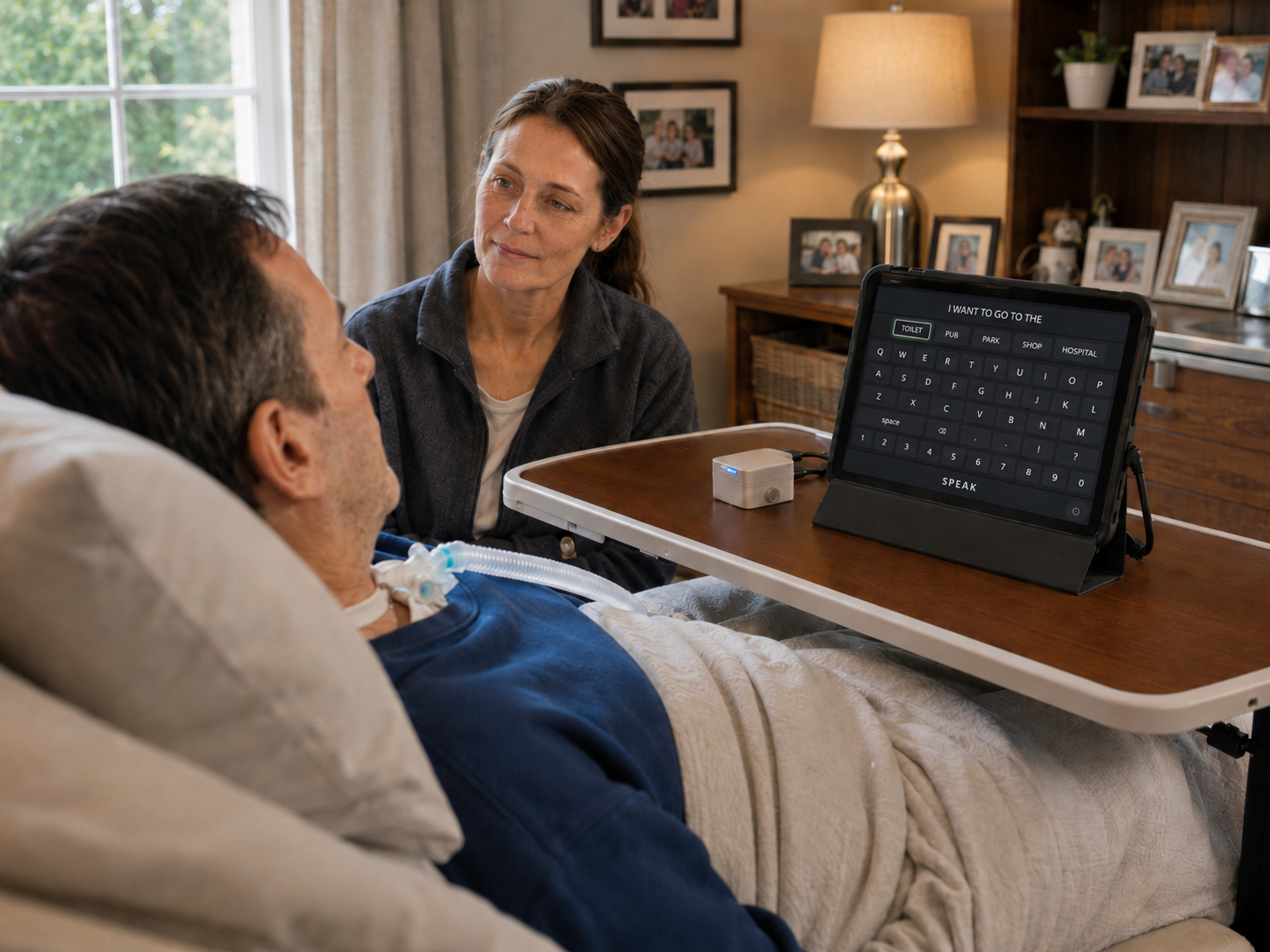
Options light up one by one on a timer. Nothing needs to be aimed at or pressed precisely — the screen does the work.
The camera watches for an eye gesture. Whatever is highlighted at that moment is chosen.
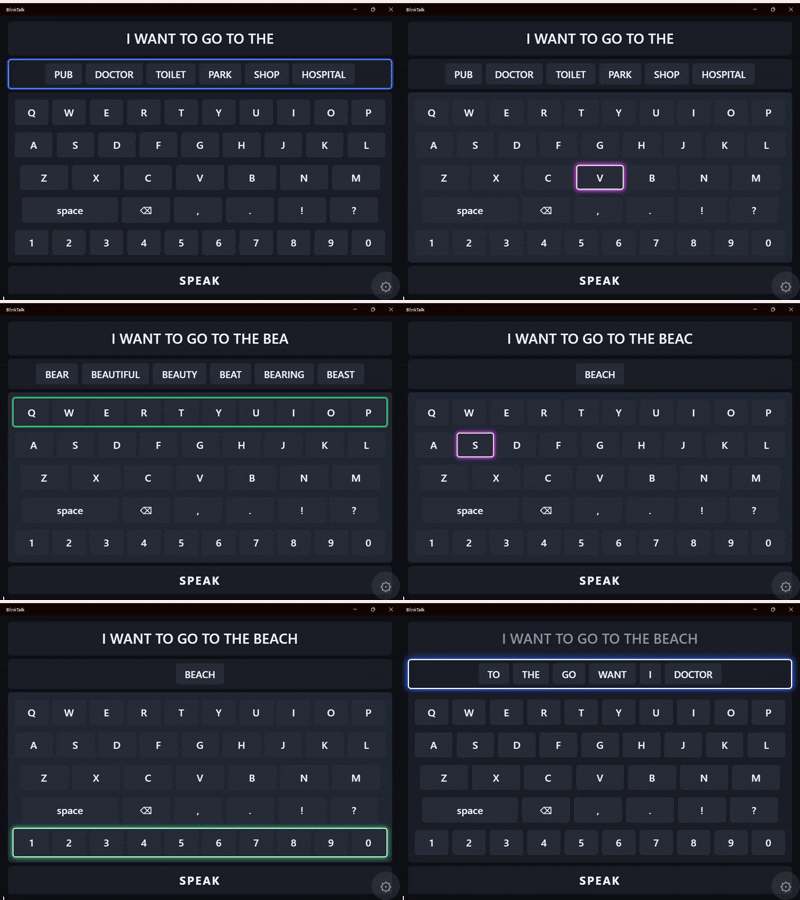
Pick a predicted word or spell on the keyboard. BlinkTalk learns the words people really use — and speaks the finished sentence aloud.
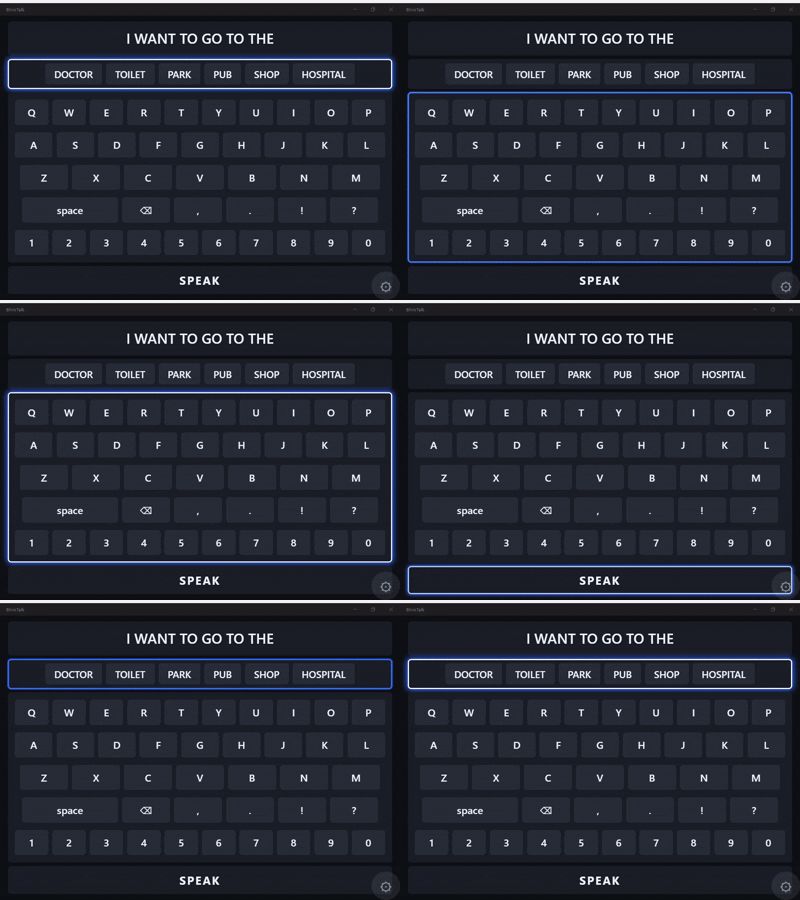
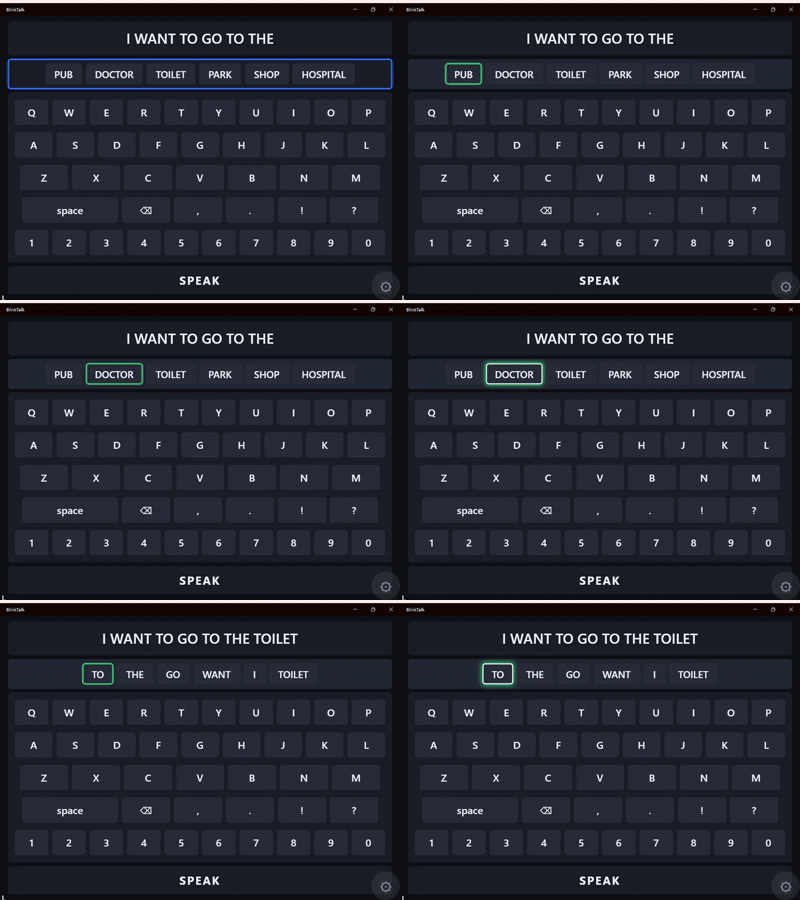
The camera can be trained to spot the exact eye gesture the person can do — a look up, a blink, anything repeatable.
Every conversation improves the predictions, so the words the person actually uses come first.
Finished sentences are spoken out loud, so the person can join the conversation naturally, face to face.
No ads. No subscriptions. No sign-up. See all releases on GitHub.
All platforms let the person indicate with an eye gesture, such as looking up.
Yes. BlinkTalk is free and open source — no ads, no subscriptions, no hidden costs. It was written for a friend with locked-in syndrome, and it is given away so that anyone who needs it can use it.
It is for people with locked-in syndrome or other conditions who cannot use touch, a keyboard or their voice — and for the family members, carers and therapists who help them communicate.
A Windows computer or an Android tablet or phone. The person communicates with whatever signal they can repeat — an eye gesture, a facial movement — while the device camera is trained to spot the gesture, or a helper taps the screen, clicks the mouse, or presses the spacebar on a physical keyboard.
Yes. Once the camera has been trained on their gesture, an eye gesture is enough to select. A helper is needed only for the setup process when the app starts.
 BlinkTalk